Get the okgo app onto your Android phone

One 45 MB file carries the whole okgo lobby: cricket markets, slots, crash rounds and the cashier. There is no store account to create and no waiting list. Download it, allow the install, then sign in with the details you already use on the site.

  • 18+ · Play Responsibly
  • Android 6.0 or newer
  • 24/7 Live Chat
  • Version 2.2.9, free to download
  • 45 MB once, then it stays installed
  • Menus in English and Bangla
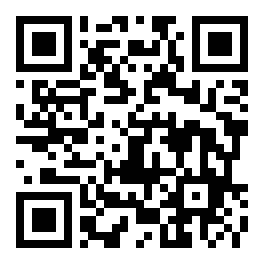
App download QR code

Scan with your phone camera to open okgo.apk directly.

Before you download: version, size and system requirements

The build served here is the same one every visitor receives, whether you arrived from a search result, a bookmark or a friend's message. Compare the numbers below with what your phone reports after the download finishes. A mismatch almost always means the transfer stopped early.

okgo app package details
ItemDetail
App version2.2.9
File size45 MB
Android version6.0 or newer
Last updated9 November 2026
PriceFree
Menu languagesEnglish and Bangla

Download the file

okgo.apk

45 MB · version 2.2.9 · updated 9 November 2026

Download APK

Keep the file if you plan to install on a second handset. It stays usable until a newer build replaces it, and you can copy it across with a cable or a memory card.

On a laptop, use the code near the top of the page to send the file to your phone instead of typing a link.

Inside the app: six screens you will use often

The app is not a cut-down copy of the site. It opens on the lobby, keeps you signed in, and gives the cashier its own tab so a deposit never hides behind a menu.

Sign in once, not every visit

The app holds your session, so opening it lands on the lobby instead of a password box. Withdrawals still ask for your password before they leave. If you forget it, the reset flow on the okgo login page works inside the app as well, and the new password applies everywhere.

Cashier in taka

Deposits start at ৳200 through bKash, Nagad, Rocket or bank transfer, and the balance normally shows within 5 minutes. The cashier remembers your last method, so a top-up before a night match takes two taps.

Cricket first

Bangladesh fixtures and international series sit at the top of the sports list, with match winner markets opening before the toss. The board refreshes while a game is running, so prices move with the match.

4,800 games from five studios

The lobby carries 4,800 titles from Spribe, CQ9, JDB, PG Soft and KA Gaming, so slots, fishing, lottery and crash rounds share one search. Filters keep the list short when you already know which provider you want, and the same filter stays applied next time you open the app.

Withdrawals you can follow

Requests start at ৳500 and clear in about 40 minutes, with ৳65,000 allowed per day. A status line shows pending, approved or paid, so you are not guessing whether the money left.

One place for every bonus

Your 110% first deposit bonus up to ৳13,000, 17% reloads and 1.4% daily cashback all sit in the bonus tab. Each card shows how much of the 19x wagering is left, so you know the point where that money becomes withdrawable.

Opening the lobby: what loads on the home screen

Browse the casino

The first row mixes categories rather than showing one type, so a slot and a fishing table are each a single tap apart. These four show what the app opens with.

Live dealer tables, crash rounds and the cricket board sit in the same navigation bar. The casino section groups them by category if you would rather browse than search, and every tile here needs only a funded account to open.

Install the okgo app in five steps

The process takes about two minutes on a steady connection. Android hides the switch you need inside settings, so start there rather than with the file.

  1. 1

    Allow installs from your browser

    Open Settings, then Security, then Install unknown apps. Pick the browser or file manager you download with and switch it on. You can turn the permission off again once the app is on the phone.

  2. 2

    Download the file

    Tap Download APK on this page and let the bar finish. The 45 MB file lands in your Downloads folder; over 4G it usually takes a couple of minutes. Keep the screen awake until it completes.

  3. 3

    Open okgo.apk

    Tap the finished notification, or open Files and choose okgo.apk from Downloads. Check the name carries no extra (1), which means an older copy is sitting there. Android lists the permissions it wants before you commit.

  4. 4

    Install, then let Play Protect scan

    Press Install and wait while the package unpacks. Play Protect may offer a scan first; let it run. If it flags the file, open More details and continue only when the download came from okgo.team.

  5. 5

    Sign in with your usual details

    Open the app and use the phone number or username from your web account. New to okgo? Register first, then come back and log in; the 110% welcome bonus follows your first deposit either way.

iPhone and iPad: add the site to your home screen

There is no iOS build, and an Android package will not run on Apple hardware. A Safari shortcut is the closest thing to an installed app.

  1. Open Safari and go to okgo.team. Chrome on iOS cannot create the shortcut.
  2. Tap Share, scroll the list and choose Add to Home Screen.
  3. Name it okgo and save. The icon opens the site full screen, keeps you signed in and updates itself without another download.

App or browser: which one fits your day

See the casino

Both open the same account, balance and bonus wallet. The difference is how much work each one does before you place a bet. This comparison includes the rows where the browser is genuinely easier.

What you are doingIn the okgo appIn a browser
Opening the lobbyOne tap, session already openType the address and sign in again after a while
Data on mobileGame images cache, so repeat visits are lighterPages and thumbnails reload each session
DepositsCashier keeps your saved method; 5 minutes typicalSame cashier, method entered more often
Withdrawal updatesNotification when the request is approvedCheck the cashier or ask live chat
Storage used45 MB installed, plus cacheNothing installed on the phone
UpdatesYou install each new build yourselfAlways the current version
Shared or borrowed deviceNeeds the file installed before you startOpens instantly, then sign out when you finish

A practical split: keep the app for daily play on your own phone, and use the browser on a borrowed laptop or a friend's device. Nothing has to be reinstalled when you switch, and wagering progress counts the same on both.

Permissions and file safety: what to check

A package file can request almost anything, so read the list before you tap install. Four checks separate a normal install from a file you should delete.

One source, one address

okgo.team is the only place we publish the download. Files forwarded through Facebook groups, Telegram channels or shortened links can carry a different package inside. After downloading, confirm the size reads 45 MB and the version reads 2.2.9.

What the app actually reads

Storage, so it can save and install updates, and notifications for withdrawal status and match alerts. It does not need your contacts, call logs or text messages. A package asking for those is not ours, whatever icon it shows.

Money stays inside the cashier

bKash, Nagad, Rocket and bank transfers complete in the payment app or your bank, not in a chat window. Nobody from okgo will ask for a bKash PIN, an OTP or your card number, in the app or anywhere else.

Updating and removing it

New builds arrive as a fresh APK you install over the old one, and your balance survives because it lives on our servers. Removing the app from Settings frees the 45 MB but never closes your account.

okgo app install screen open on an Android phone held above a wooden desk
The install prompt lists permissions before anything is written to your phone.

When the install stops: five fixes to try

Most failed installs come down to one of five causes. Work down the table before downloading the file a third time; the answer is usually a setting, not a damaged package.

ProblemWhy it happensWhat to do
Parse error The download was cut short, or the file came from an old link saved months ago. Delete okgo.apk, download again from this page, and confirm the file shows 45 MB before you open it.
App not installed An older okgo build is still on the phone, or internal storage has no room left. Uninstall the previous version, clear a few hundred megabytes of photos or video, then run the installer again.
Play Protect warns about the file The package did not arrive through the Play Store, so it carries no store signature. Tap More details, then Install anyway. Only do this for a file you downloaded from okgo.team yourself.
Install button is greyed out Unknown sources is still switched off for the app you are opening the file from. Go to Settings, Apps, the browser or file manager you used, then Install unknown apps and allow it.
App opens then closes Android is older than 6.0, or leftover cache from an earlier install is blocking the launch. Check Settings, About phone, for the Android version, then clear the app cache and reopen it.

Still stuck after all five? Live chat is open at any hour and can walk you through the version on your specific handset.

The file is ready when you are

Version 2.2.9 is 45 MB and free. Install it, sign in once and the lobby opens on the game you closed last.

Questions that come up before installing

Is the okgo.apk file safe to install?

The file on this page is the build we publish, served over HTTPS from okgo.team. Android still cannot vouch for it the way it does for store apps, so it will warn you first. Compare the size at 45 MB and the version at 2.2.9 after the download, and keep live chat open if either number looks different.

Why does my phone block the download?

Chrome and most browsers flag packages that do not come from the Play Store. That is a default setting, not a virus report. Allow installs from your browser in Settings, then open the file again. If the warning names a specific threat rather than the unknown source, delete the file and fetch a fresh copy from here.

How do I update the app later?

Download the new APK and install it over the old one. Your balance, bonus progress and saved payment methods stay, because the account lives on our servers rather than on the phone. There is no need to uninstall first, and the update keeps your existing login session intact.

Can I use okgo on an iPhone?

Not as an APK. Apple does not install Android packages and there is no separate iOS build. Add okgo.team to your Safari home screen instead: the shortcut opens full screen, keeps you signed in and refreshes by itself. Every feature except phone notifications works the same way on iOS.

How much space and data does it use?

The download is 45 MB, and the installed app stays close to that until game art starts caching. Cache grows over a month of play and can be cleared from Settings without logging you out. On data, a game loads once and then sits in memory, which is why repeat visits cost less than reloading a browser tab.

Will my bonus follow me between the app and the website?

Yes. Bonuses attach to the account, not the device. The 110% first deposit bonus up to ৳13,000, 17% reloads, 1.4% daily cashback and the 19x wagering rule all read from one wallet, so a deposit made in the app counts toward progress you started in the browser.

I installed it but cannot log in. What should I check?

First try the password on the okgo login page in a browser. If it fails there too, reset it and return to the app. If it works in the browser, clear the app cache from Settings, since an old session can block a new one. Live chat can confirm whether your account needs verification.

18+ · Play Responsibly · Set a budget before you start and take a break when it stops being fun.